Designed and assembled in Austin, Texas • Distributed worldwide • Prices shown in USD. International pricing will vary based on shipping, duties, taxes, and local installation fees.
Designed beautifully. Built to perform.


"We love the new Flex VRA system and the flexibility it offers to keep children interested in the task. It has definitely improved patient engagement and reliability of results."
Brooke Hammond, Au.D., Audiologist at Primary Children's Hospital, Salt Lake City, UT
Flex VRA Configurations
R=Right L=Left C=Center


FLEX-C


FLEX-RL
Single Center Monitor
2 Remote Controls
Flex PC
Audiometer Integration
$2,450 USD
Right and Left Monitor
2 Remote Controls
Flex PC
Audiometer Integration
$4,750 USD

FLEX-RLC (most popular)
Right, Left, and Center Monitor
2 Remote Controls
Flex PC
Audiometer Integration
$6,950 USD


FLEX COMBINATION SYSTEMS
Make any combination of Left, Right and Center reinforcers using the same remote control. (Maximum of 6 reinforcers)
International customers: Prices shown are in USD and exclude shipping, duties, and taxes.
Pricing does not include the cost of shipping, applicable taxes, and installation.
Sold through authorized distributors.
We believe pricing transparency saves clinicians time. You can read more about why we post prices online here.

How Flex Works
See Flex VRA in action or shedule an online demo
The Remote
Two Remote Controls Included With Every Flex VRA

TOY
VIDEO
Display videos of cartoons of cartoons and live-animals while an activation button is held down.
Display videos of toys while an activation button is held down.
ACTIVATORS
Left (Blue), Right (Red), and Center (Green)
LIGHTS
ON/OFF
Turn on (top button) and off (bottom button) the 360 degree LED light bar while playing video content.


LIGHTS
ONLY
Activate the 360 degree light bar only while an activation button is pressed down.
Custom content comes standard with preloaded Hey Bear Sensory content, but any content can be loaded by the end user
CUSTOM
VOLUME
CONTROL
Volume up, down, and mute control of the VRA monitors.
DISTRACT
Use the VRA monitor as a focal point to keep patients still during tympanometry, otoscopy, or OAE testing.
(No Additional Cost)
Included With Every Flex VRA

Flex PC
(Computerized Audiometers)

Remote Control (2)

Audiometer Integration
(GSI Audiostar Pro and Interacoustics EVO)
Welcome Videos

Includes built-in content to help prepare and engage pediatric patients. FREE to download here.
Conditioned Play Audiometry Games
Built into every Flex VRA and available for FREE to download here
.png)
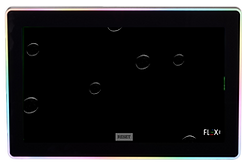
Toy In The Bucket Game
.png)
.png)
.png)
Toy Bubble Game
The Farm Game
Interactive SRT Board
Accessories
Optional Add-Ons To Enhance Workflow


Who is
Hey Bear Sensory?


Hey Bear Sensory designs sensory-based content for children. Hey Bear has quickly gained popularity on YouTube, and within the last 10 years has amassed over 3 million subscribers, boasts approximately 2.5 billion views, and has a constant audience of thousands watching live every day.
Flex VRA entered into an exclusive content licensing agreement with Hey Bear Sensory to provide the default custom content that will ship with every Flex VRA system.
By combining Hey Bear's insanely popular content with the Flex VRA, we can provide the most engaging and positive VRA experience to audiologists and their patients.


Specifications
Display
13.3 inch
Remote/Flex PC/Audiometer Integration Transmission
Wireless Zoned Radio Frequency
.05 Seconds (Instantaneous)
Activation Latency
18 months
Remote Control Battery Life
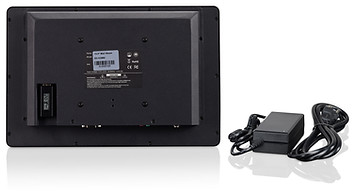
Input: 100-240V 50/60Hz 1.5A MAX Output: +12V, 5A, 60W
Power Specifications
Dimensions
13.5 inch (L) x 2 inch (W) x 10 inch (H), 8 lbs
Operating System
Windows 10 Professional
Warranty
2 Years